What Is My IP Address IPv4: Understanding Your Digital Identity
Every time you connect to the internet, your device receives a unique identifier that allows it to communicate with other devices and servers across the globe. This identifier is called an IP address, and understanding what it is—particularly the IPv4 version—can help you better grasp how your online presence works. Have you ever wondered how websites know where to send the information you request? The answer lies in this fundamental piece of internet infrastructure that quietly powers billions of online interactions every single day.
Your IPv4 address serves as your device’s home address on the internet. Just as postal workers need your physical address to deliver mail, web servers need your IP address to send you the websites, videos, and data you request. Without this system, the internet as we know it simply wouldn’t function. But what exactly makes IPv4 special, and why should you care about knowing your own IP address?
Understanding IPv4 and Its Structure
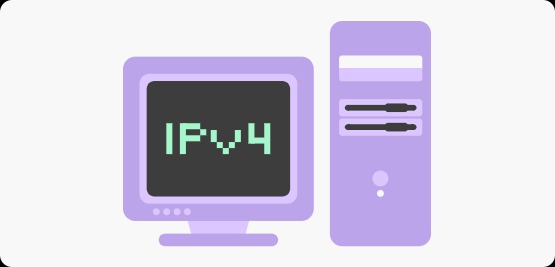
IPv4, which stands for Internet Protocol version 4, has been the backbone of internet communication since the early 1980s. This protocol uses a 32-bit addressing system, which means it can theoretically support approximately 4.3 billion unique addresses. You’ll recognize an IPv4 address by its distinctive format: four numbers separated by periods, such as 192.168.1.1 or 172.217.14.206. Each of these numbers, called an octet, can range from 0 to 255.
The structure of IPv4 addresses follows a logical hierarchy that helps route data efficiently across networks. Think of it like a phone number with area codes and local exchanges—different parts of the address provide different levels of information about the network and the specific device. When you type a website address into your browser, domain name servers translate that friendly name into an IPv4 address, allowing your computer to locate and communicate with the web server hosting that site.
What makes IPv4 particularly interesting is how it divides addresses into different classes and types. Some addresses are public, meaning they’re visible to the outside world and unique across the entire internet. Others are private, used within local networks like your home or office. Your router assigns these private addresses to your devices, while your internet service provider assigns a public address to your router. This system allows multiple devices in your home to share a single public IP address while maintaining their own internal identities.
How to Find Your IPv4 Address
Discovering your IPv4 address is remarkably straightforward, though the method varies depending on your operating system and whether you want to find your local or public address. For Windows users, opening the Command Prompt and typing “ipconfig” reveals your local network information, including your IPv4 address. Mac users can access this information through System Preferences under Network settings, while Linux users typically use the “ifconfig” or “ip addr” command in the terminal.
However, the address you see using these methods is often your private, local IP address—the one assigned by your router within your home network. If you want to know your public IPv4 address, the one that websites see when you connect to them, you’ll need to check through an online service. Numerous websites offer instant IP address lookup tools that display your public IPv4 address the moment you visit them. These tools simply read the source address from your connection request and display it back to you.
Why might you need to know your public IPv4 address? There are several practical reasons. Network administrators use this information for troubleshooting connectivity issues. Remote access applications require your public IP to establish connections. Security-conscious users monitor their IP addresses to detect unauthorized access or unusual activity. Additionally, if you’re working with IPv4 proxies or need to configure network settings, knowing your current IP address becomes essential for proper setup and verification.
Dynamic vs Static IPv4 Addresses
Not all IPv4 addresses are created equal, and understanding the difference between dynamic and static addresses can be crucial for various online activities. Most home internet users receive dynamic IP addresses from their internet service providers. These addresses change periodically—sometimes when you restart your modem, sometimes according to your ISP’s lease schedule. This dynamic allocation helps ISPs manage their limited pool of IPv4 addresses more efficiently, distributing them among active users as needed.
Dynamic addresses work perfectly well for typical internet browsing, streaming, and social media use. They’re cost-effective and require no special configuration from you. However, they can present challenges for certain applications. If you’re running a home server, hosting a website, or need others to connect to your device remotely, a constantly changing IP address creates complications. It’s like trying to meet someone at a coffee shop when the location keeps changing without notice.
Static IP addresses, conversely, remain constant over time. Your ISP assigns you a specific address that doesn’t change unless you request it. Businesses often prefer static addresses for their reliability and consistency, particularly when hosting servers or maintaining remote access systems. While static IPs typically cost more than dynamic addresses, they eliminate the headache of tracking address changes and updating configurations. For most home users, though, the flexibility and cost savings of dynamic addresses outweigh the benefits of a static assignment.
IPv4 Address Exhaustion and the Future
Here’s where things get interesting: we’re running out of IPv4 addresses. With only about 4.3 billion possible combinations and more than 4.5 billion internet users worldwide—not to mention billions of IoT devices—the mathematical reality is clear. The internet has essentially exhausted its supply of available IPv4 addresses. This phenomenon, known as IPv4 exhaustion, reached critical stages in various regions throughout the 2010s, with the last unallocated blocks distributed years ago.
So how does the internet continue functioning despite this shortage? Several clever solutions have emerged. Network Address Translation (NAT) allows multiple devices to share a single public IP address, dramatically extending IPv4’s useful life. Internet service providers have become creative with address allocation, using techniques like Carrier-Grade NAT to serve more customers with fewer addresses. The secondary market for IPv4 addresses has also flourished, with organizations buying and selling address blocks as valuable digital real estate.
The long-term solution, however, is IPv6—the next generation of internet protocol. IPv6 uses 128-bit addressing, creating a virtually inexhaustible supply of addresses (about 340 undecillion, if you’re counting). Despite its advantages, IPv6 adoption has been gradual, as it requires infrastructure upgrades and isn’t backward compatible with IPv4. Most modern devices and networks now support both protocols, running what’s called a dual-stack configuration, ensuring compatibility while preparing for the eventual transition.
Privacy and Security Implications
Your IPv4 address reveals more about you than you might think. It identifies your general geographic location, your internet service provider, and potentially your browsing patterns when tracked across multiple websites. While it doesn’t expose your exact street address or personal information directly, it creates a digital fingerprint that can be combined with other data points to build detailed profiles of your online behavior.
Understanding these privacy implications empowers you to make informed decisions about your internet usage. Your IP address can be logged by every website you visit, potentially creating a permanent record of your online activities. Law enforcement and copyright holders can use IP addresses to identify internet users, though this process requires legal procedures and ISP cooperation. For most people, this level of tracking isn’t concerning for everyday browsing, but awareness helps you understand the digital trails you leave behind.
Can you protect your IP address privacy? Absolutely. Various tools and services mask your real IPv4 address by routing your traffic through intermediate servers. These solutions assign you a different IP address that websites see instead of your actual one. Such tools prove valuable for accessing region-restricted content, enhancing privacy, and adding an extra security layer to your online activities. However, remember that completely anonymous internet usage is challenging to achieve, and most people balance convenience with privacy based on their specific needs and concerns.
Conclusion
Understanding your IPv4 address demystifies a fundamental aspect of how the internet works. Whether you’re troubleshooting connection problems, setting up remote access, or simply curious about your digital identity, knowing what an IPv4 address is and how to find yours provides valuable insight into your online presence. As the internet continues evolving toward IPv6, IPv4 remains the workhorse protocol connecting billions of devices worldwide, making it well worth understanding for anyone who ventures online.